Filmidea / Movie discovery website
Filmidea.
Less searching. A better movie idea.
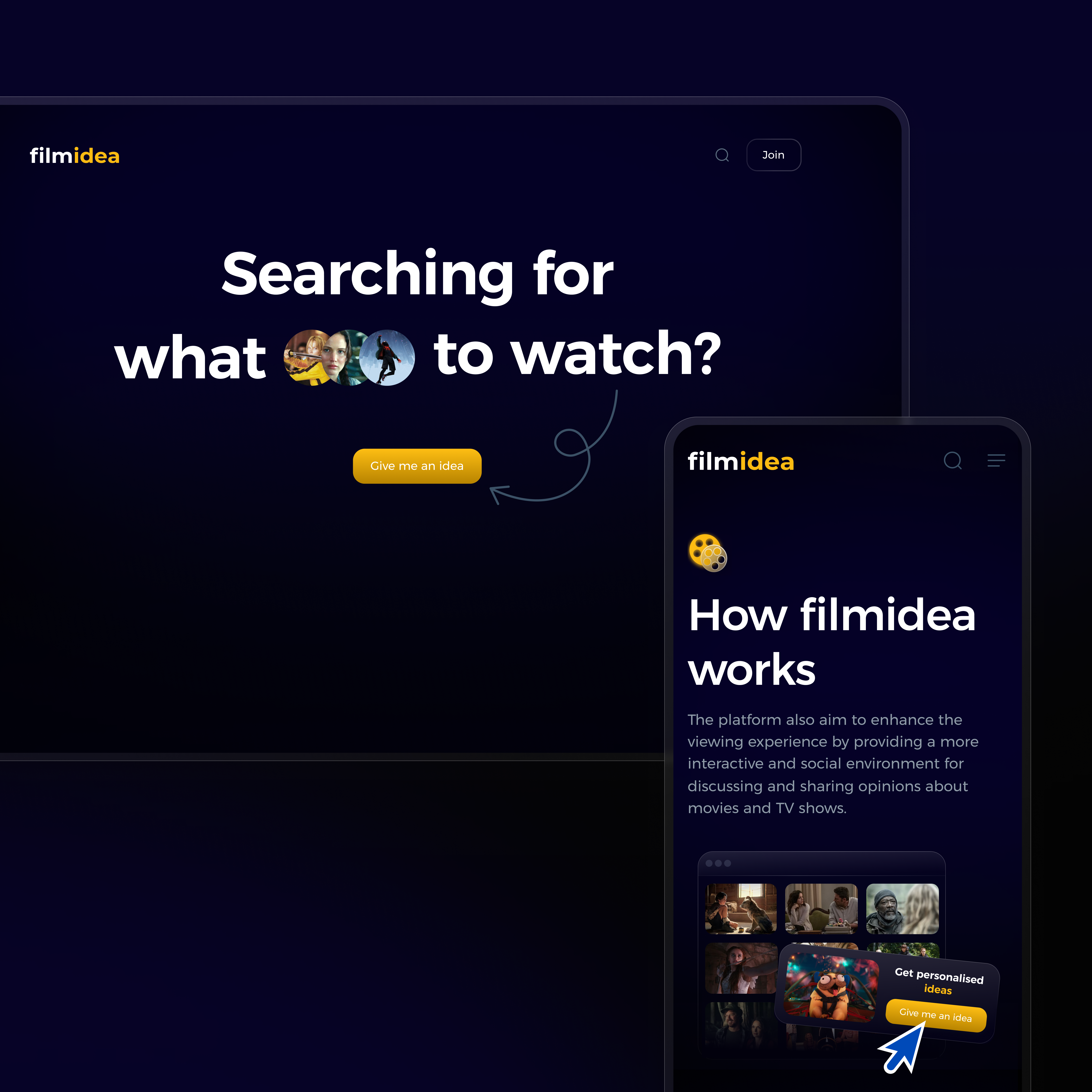
Designing a movie discovery experience that helps people choose what to watch, express their preferences and build a personal collection.
- Product
- Filmidea
- Year
- 2023
- Role
- Product Designer
- Platform
- Responsive web
- Responsibilities
- Research, user flows, wireframes, UI design and prototyping
The context
A starting point for the next film.
Filmidea helps people discover movies and TV shows suited to their interests. The design addresses the overload of available content with a direct recommendation entry point, ways to express preferences, and tools for saving and sharing discoveries.
My contribution
As Product Designer, I collaborated with a product manager and developers. Using a Lean UX framework, the work combined competitive analysis, surveys and interviews with brainstorming, user flows, wireframes, interface design and prototyping.
01 / The problem
Plenty to watch. Hard to choose.
Choice became overwhelming.
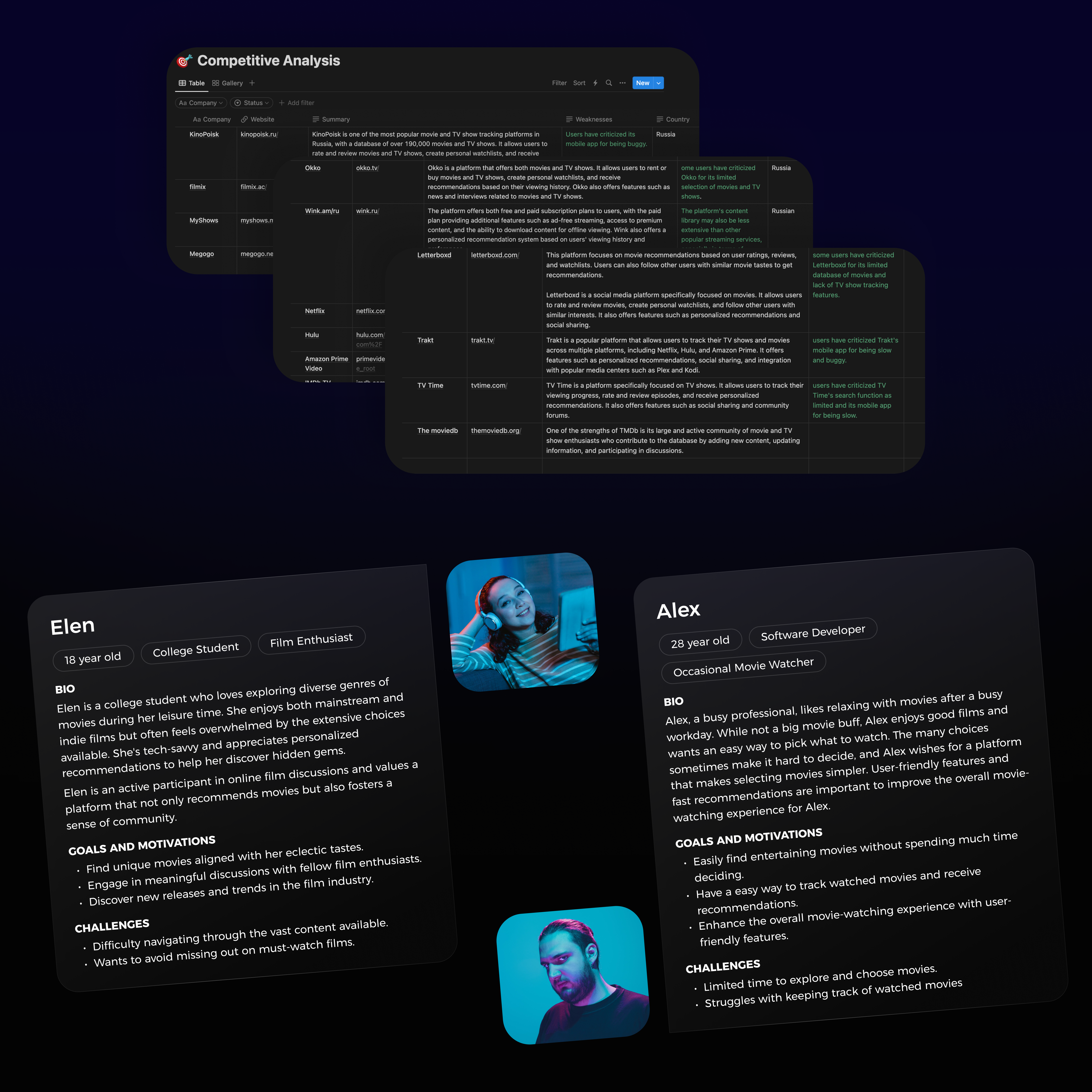
Research with regular movie enthusiasts found a common difficulty: discovering unseen films and choosing something new from a large catalog.
New visitors had little history.
The recommendation experience had to work with limited information about someone’s interests or viewing preferences.
Registration needed a clear purpose.
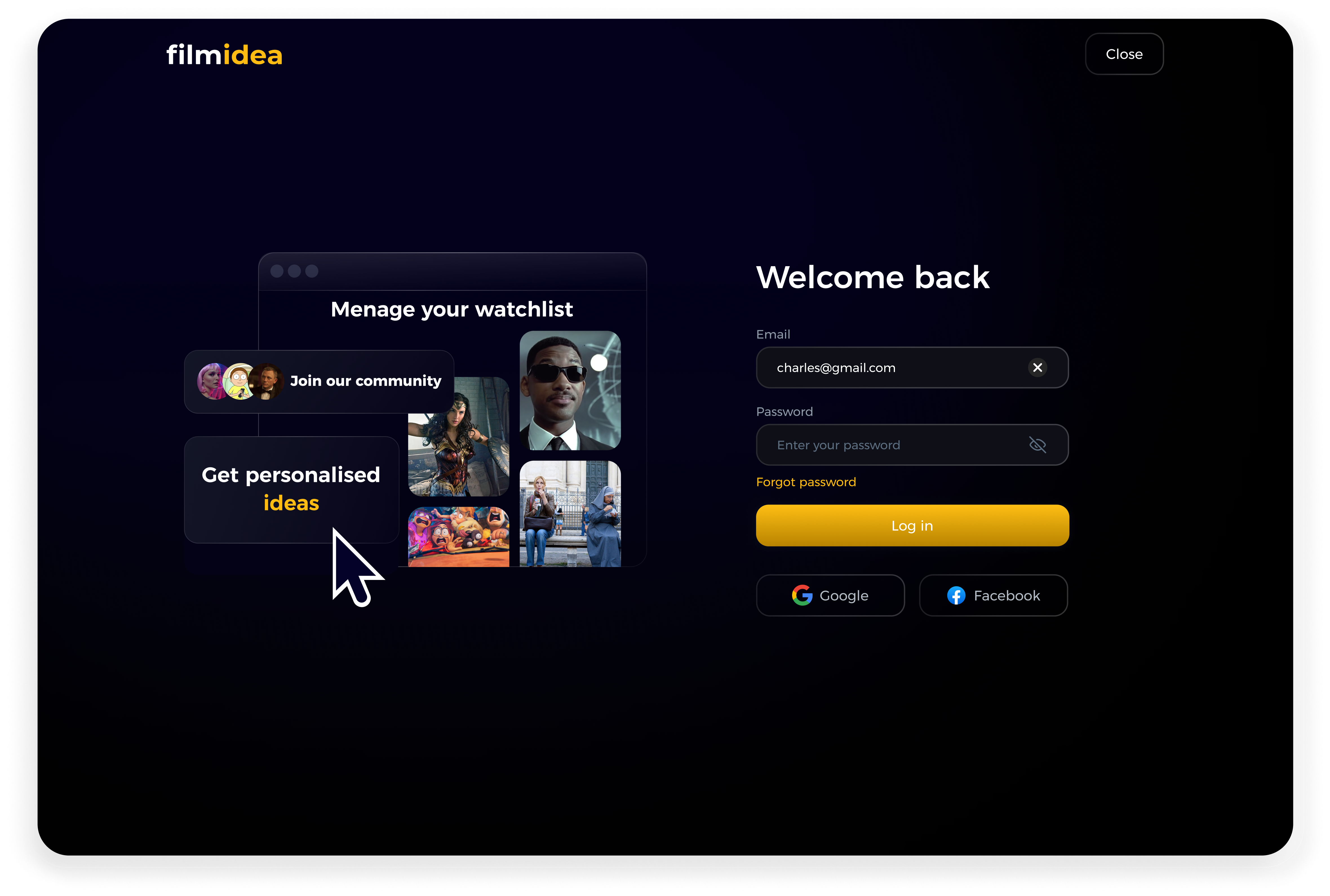
People who chose to join needed a convenient way to share preferences and understand the value of creating an account.
Interests change over time.
The product needed ways for people to update their tastes, organize films and control the visibility of personal activity.
Make finding something to watch straightforward, even before the platform knows a person’s preferences.
02 / The approach
Think, make, check.
The team followed Lean UX, connecting research and collaborative exploration with interface design and a cycle of checking and refinement.
Think
Compare related movie platforms, run surveys and interview seven regular movie enthusiasts. Use personas and team brainstorming to clarify needs.
Make
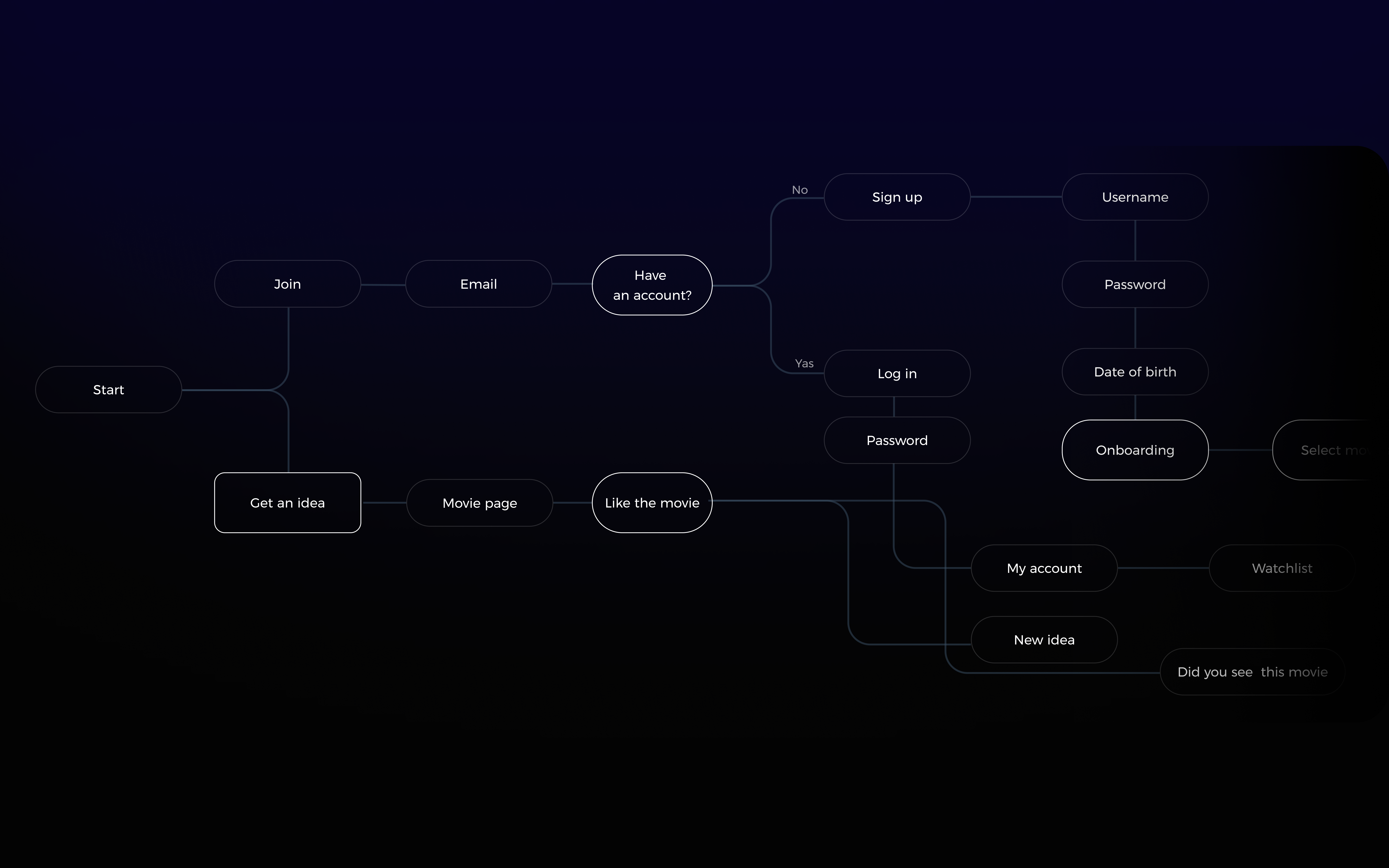
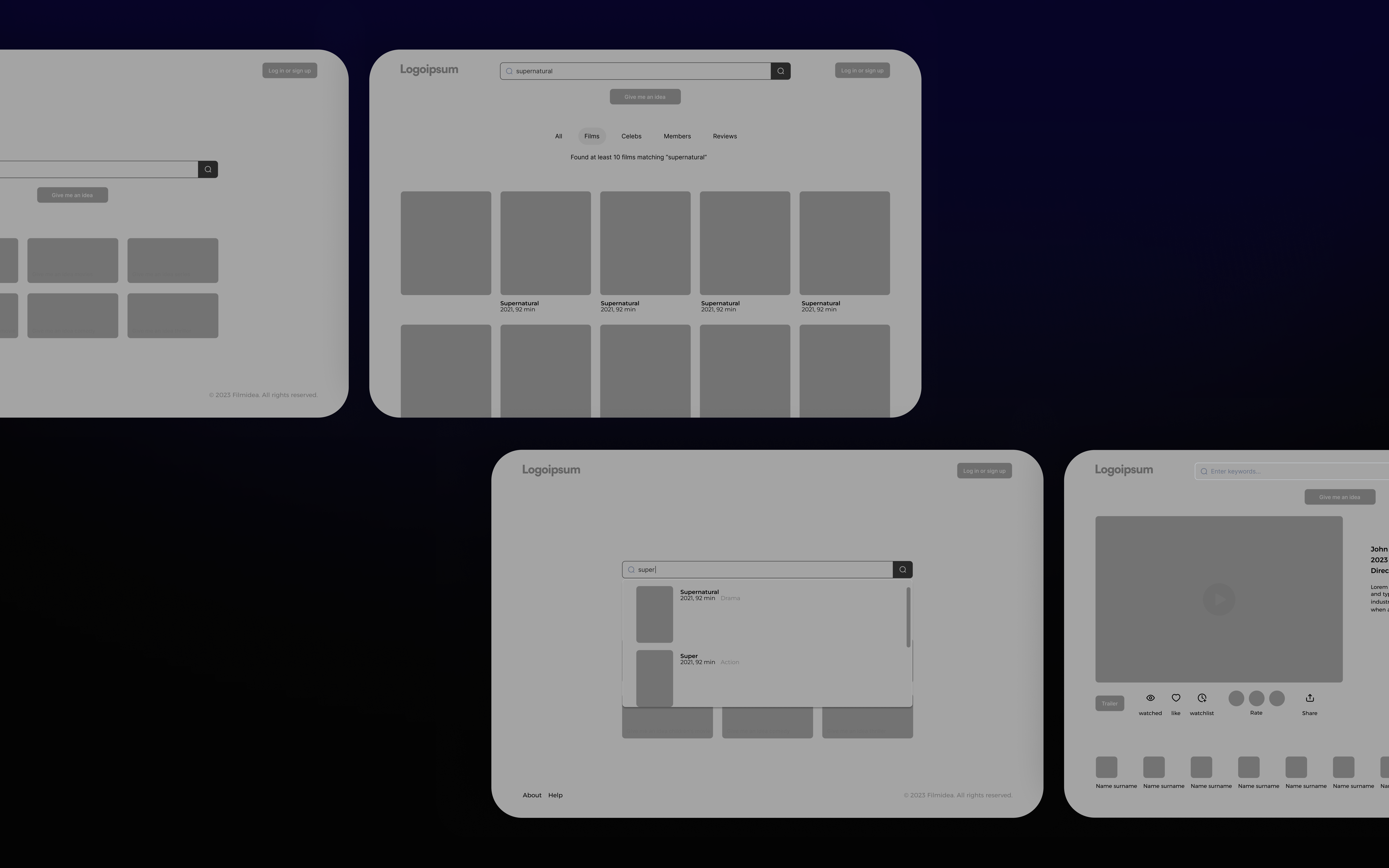
Map recommendation and account journeys, explore the structure in wireframes, then develop interface designs and prototypes.
Check
The Lean UX process included user testing, analytics review, bug fixes and feature refinement as part of the product’s iteration cycle.
03 / Design decisions
The reasoning behind the screens.
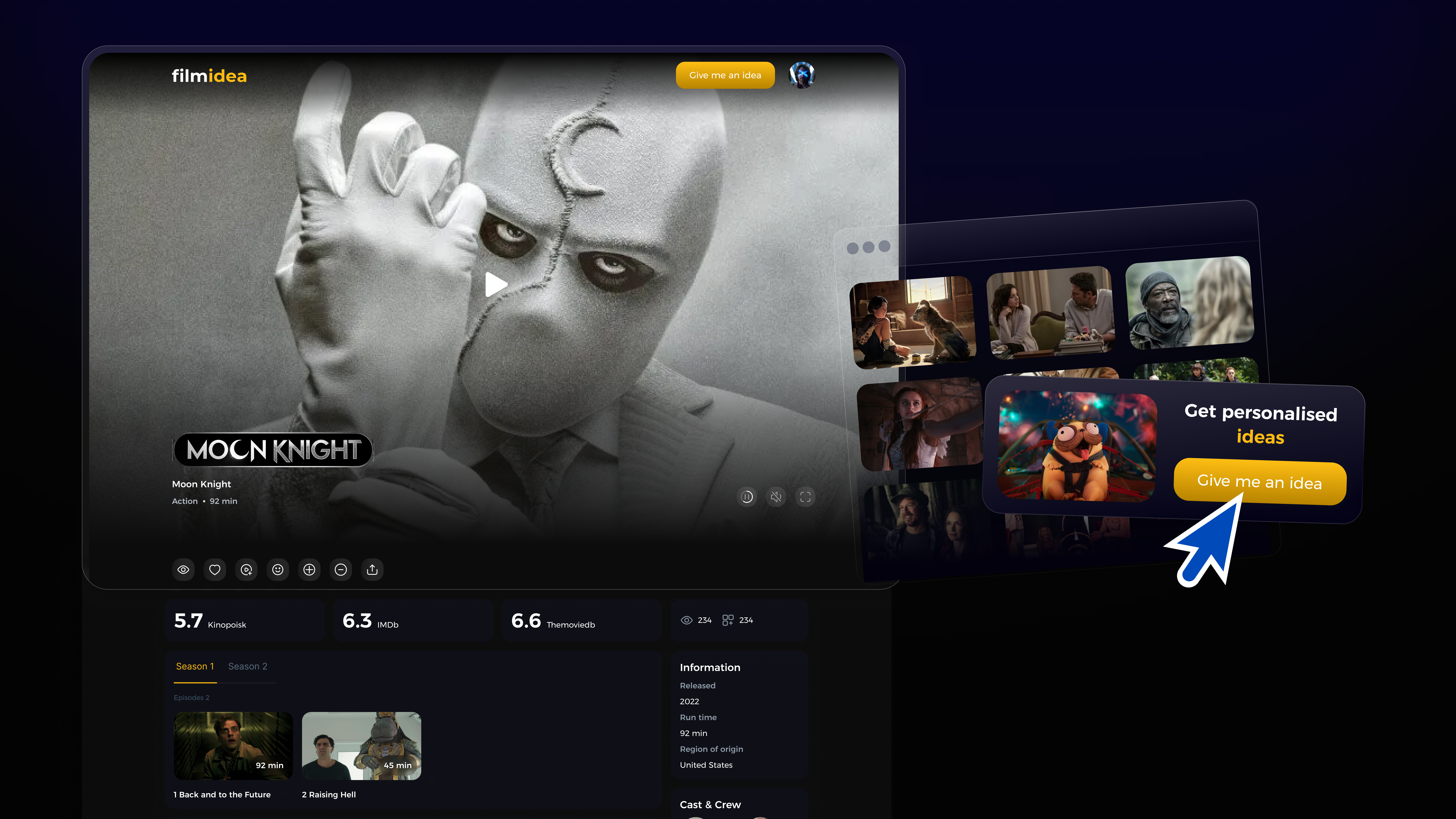
Start with a movie idea.
A long setup or a dense catalog would add friction for someone who simply wants a suggestion.
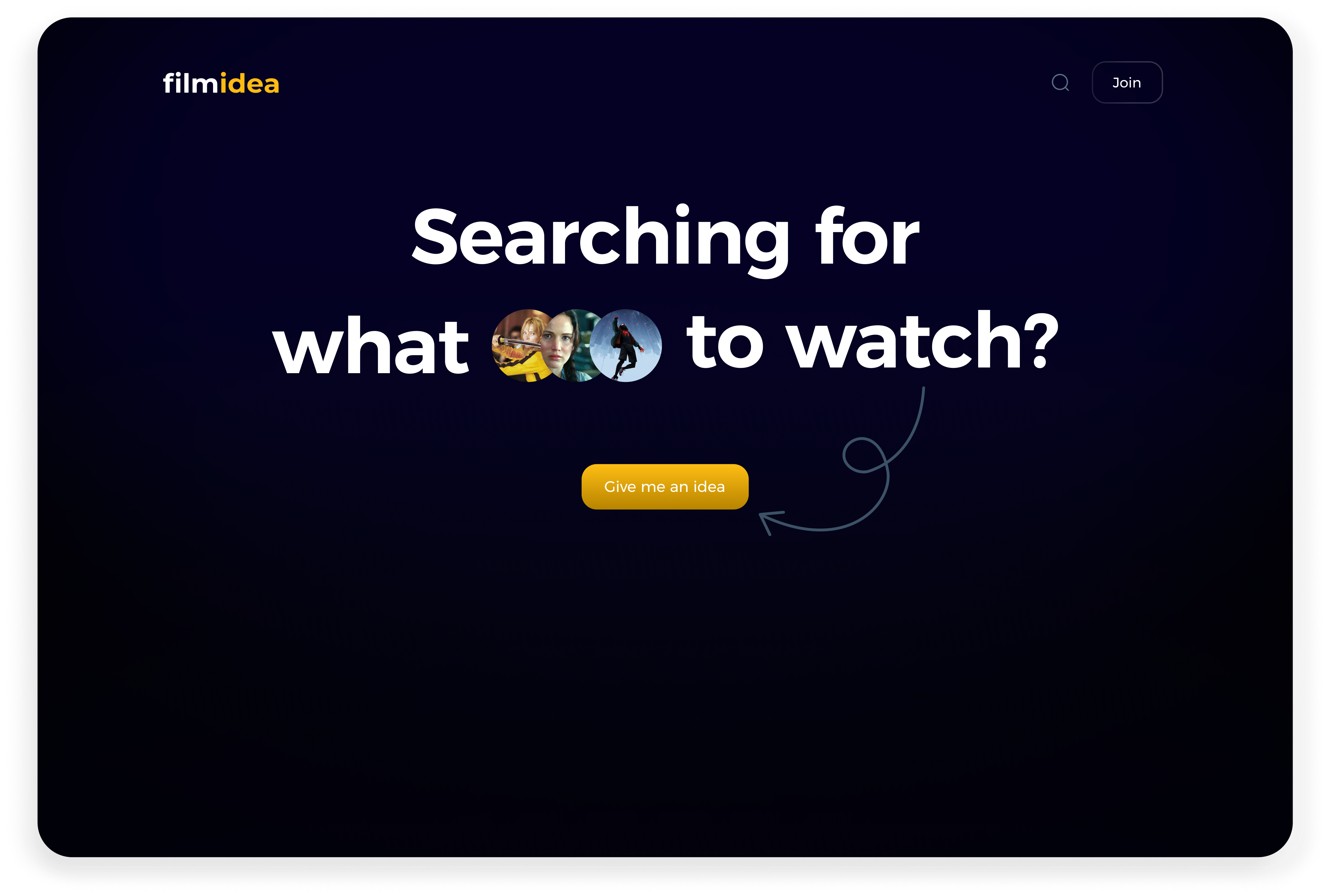
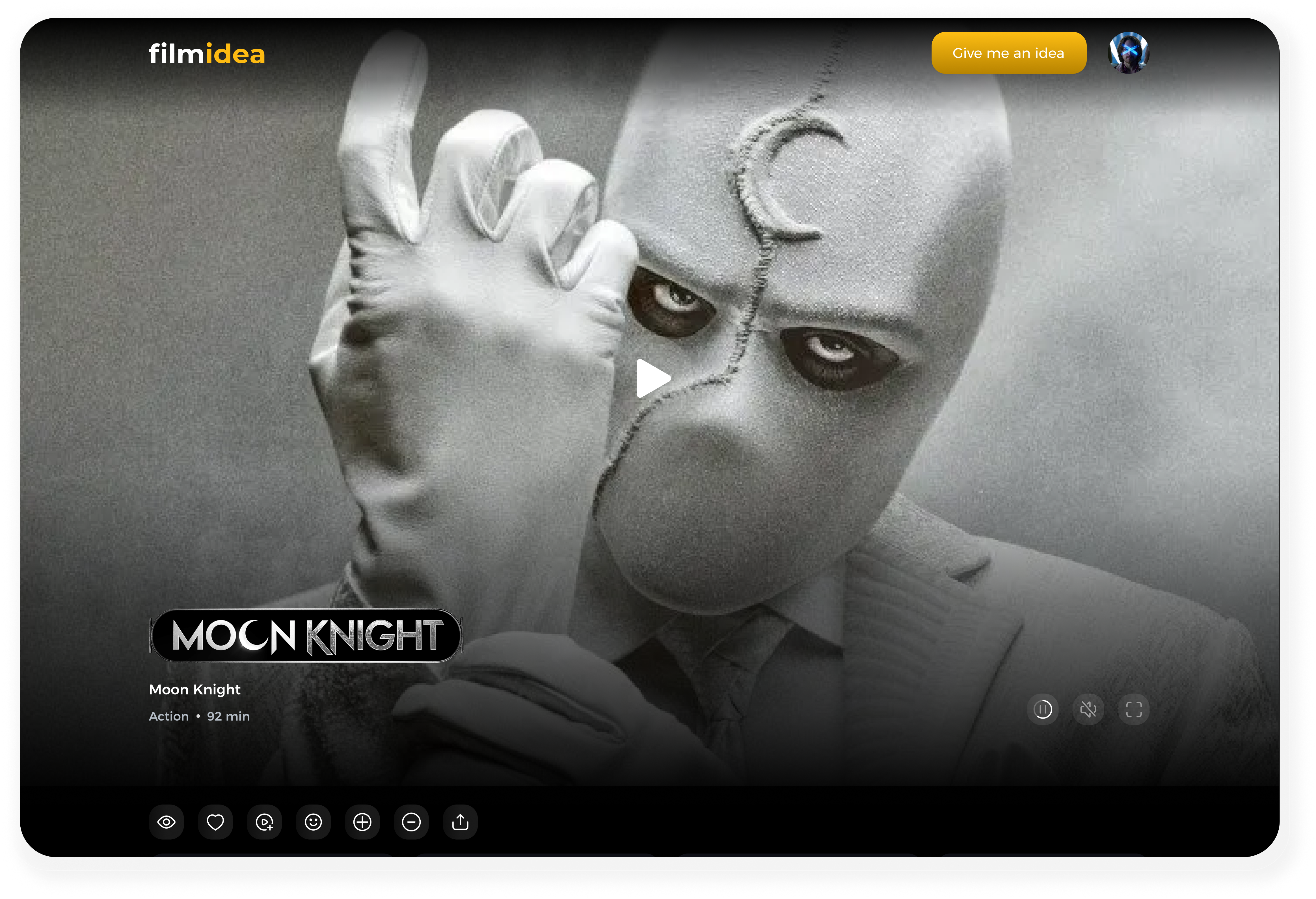
The home page centers the “Give me an idea” action. The flow lets visitors reach a movie page before joining, while a prominent trailer and organized movie information support the next decision.
- A direct recommendation entry point on the home page
- Movie discovery and account creation as separate entry paths
- A movie page with trailer, details, ratings and discussion
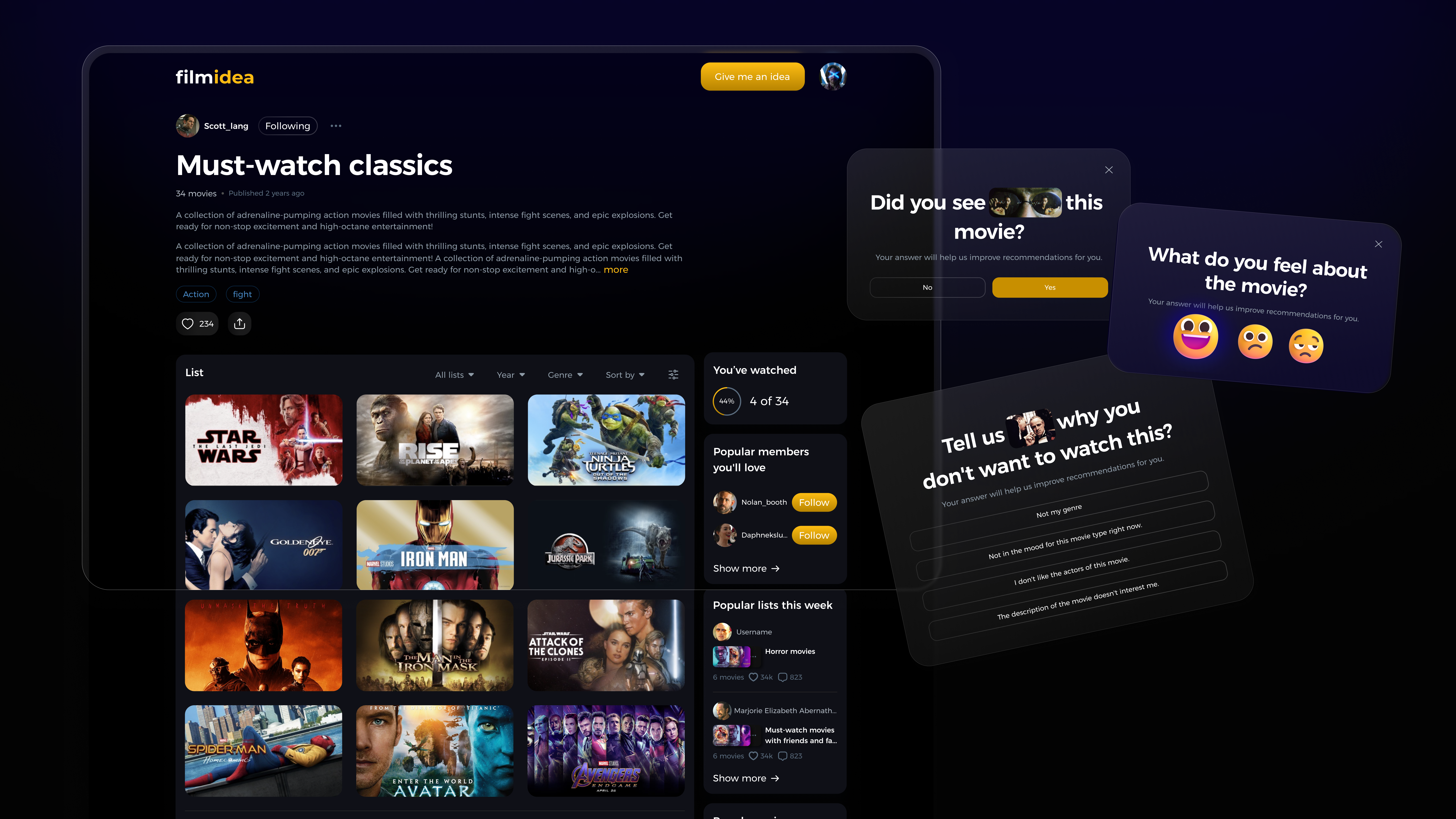
Learn preferences through small questions.
Useful recommendations were needed before a new visitor had supplied a detailed taste profile.
Short prompts ask whether someone has seen a film, how they felt about it, or why they do not want to watch it. This feedback is designed to inform later suggestions without relying on a long initial form.
- Seen a film? Ask for a reaction or rating
- Not interested? Offer reasons such as genre or current mood
- Use feedback to inform subsequent recommendations
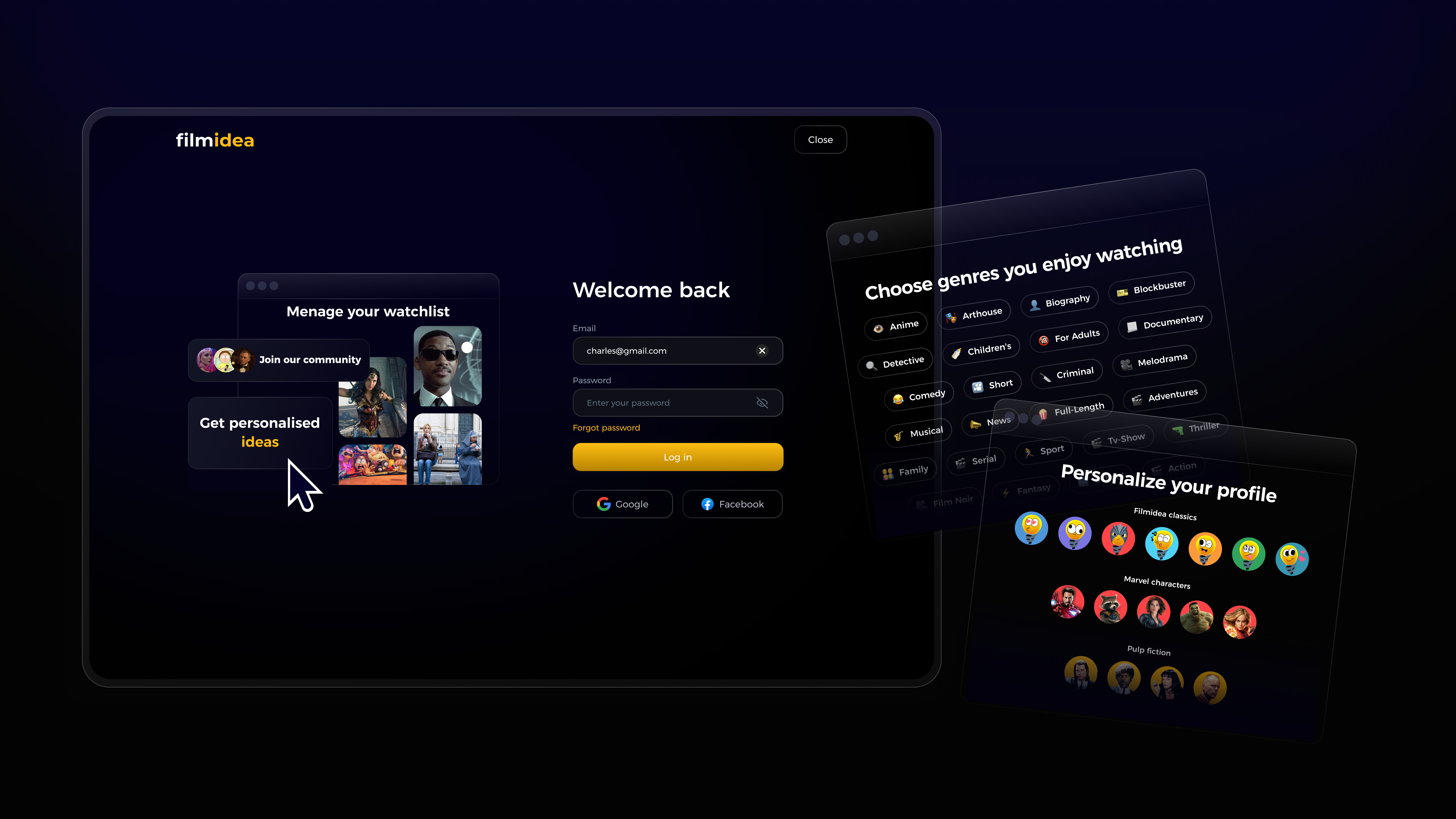
Make joining feel personal.
Registration needed to gather useful preferences while giving movie lovers a clear way to personalize their experience.
Onboarding is organized into three steps: select preferred genres, choose three or more favorite films, and upload or select a profile picture. Character-based avatars make the final step part of the movie experience.
- Choose preferred genres
- Pick three or more favorite movies
- Upload a profile image or choose a suggested character
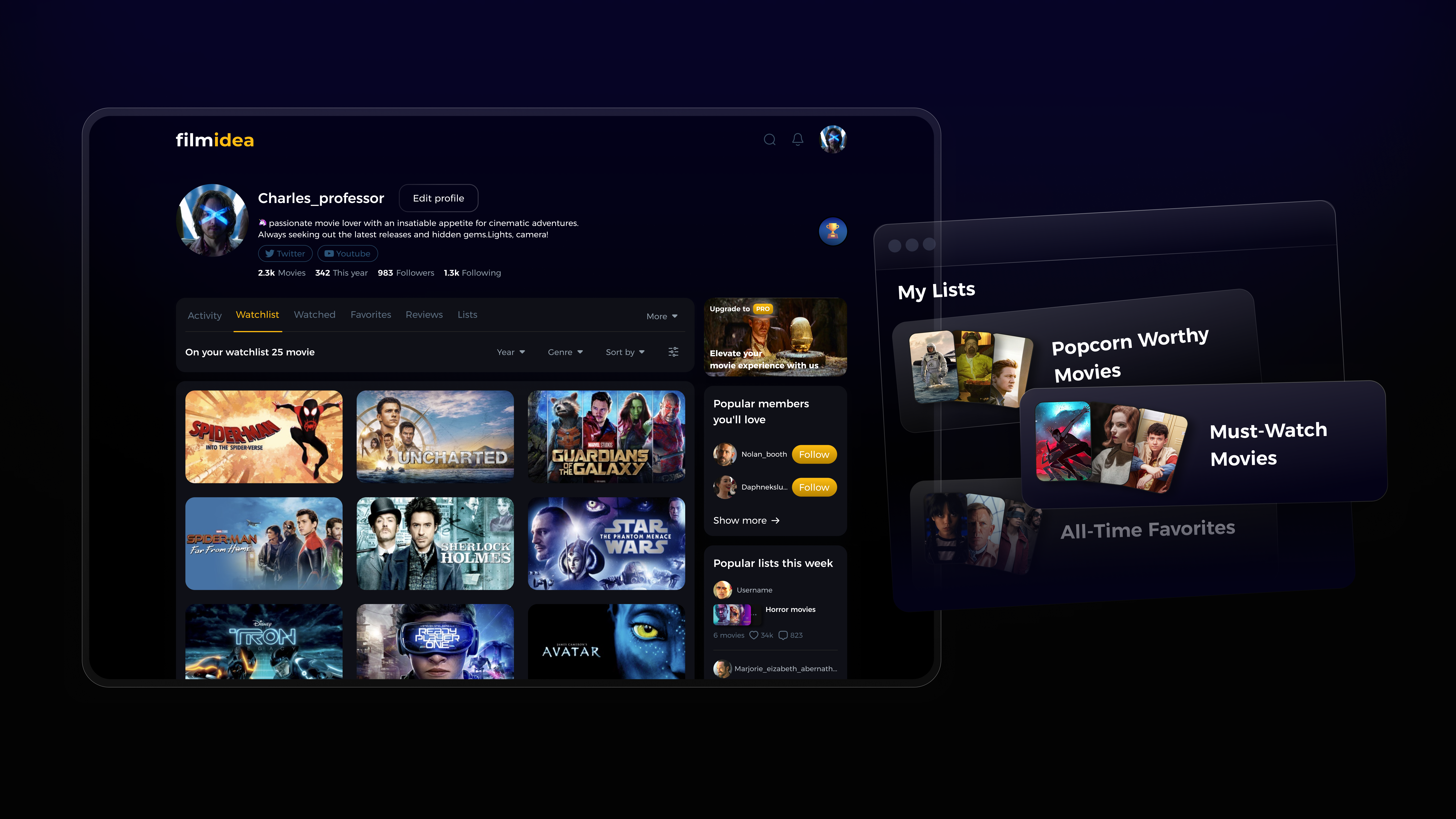
Keep a collection. Keep control.
Choosing a film is only one part of the experience; people also need to save discoveries, track what they have seen and adapt their preferences.
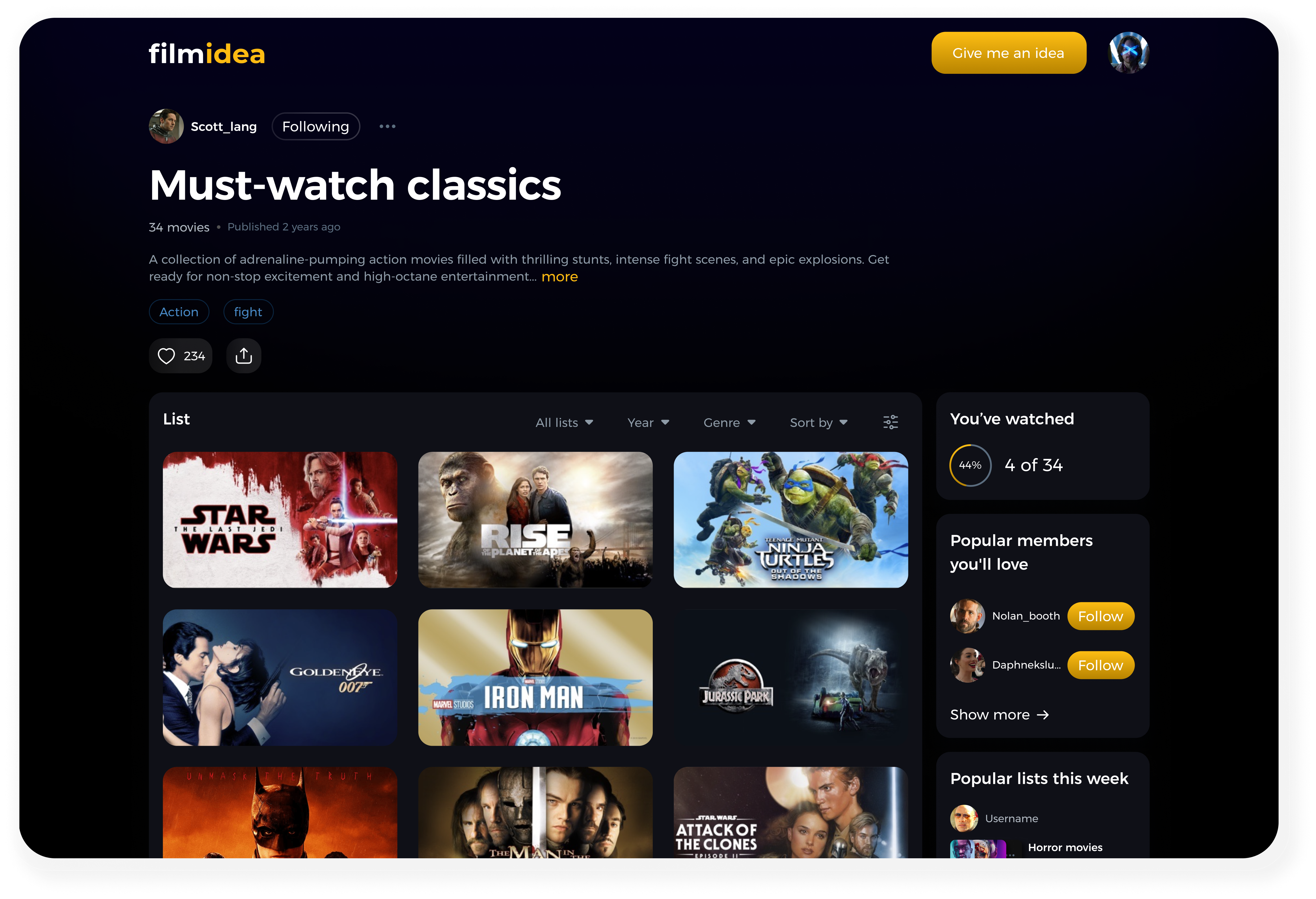
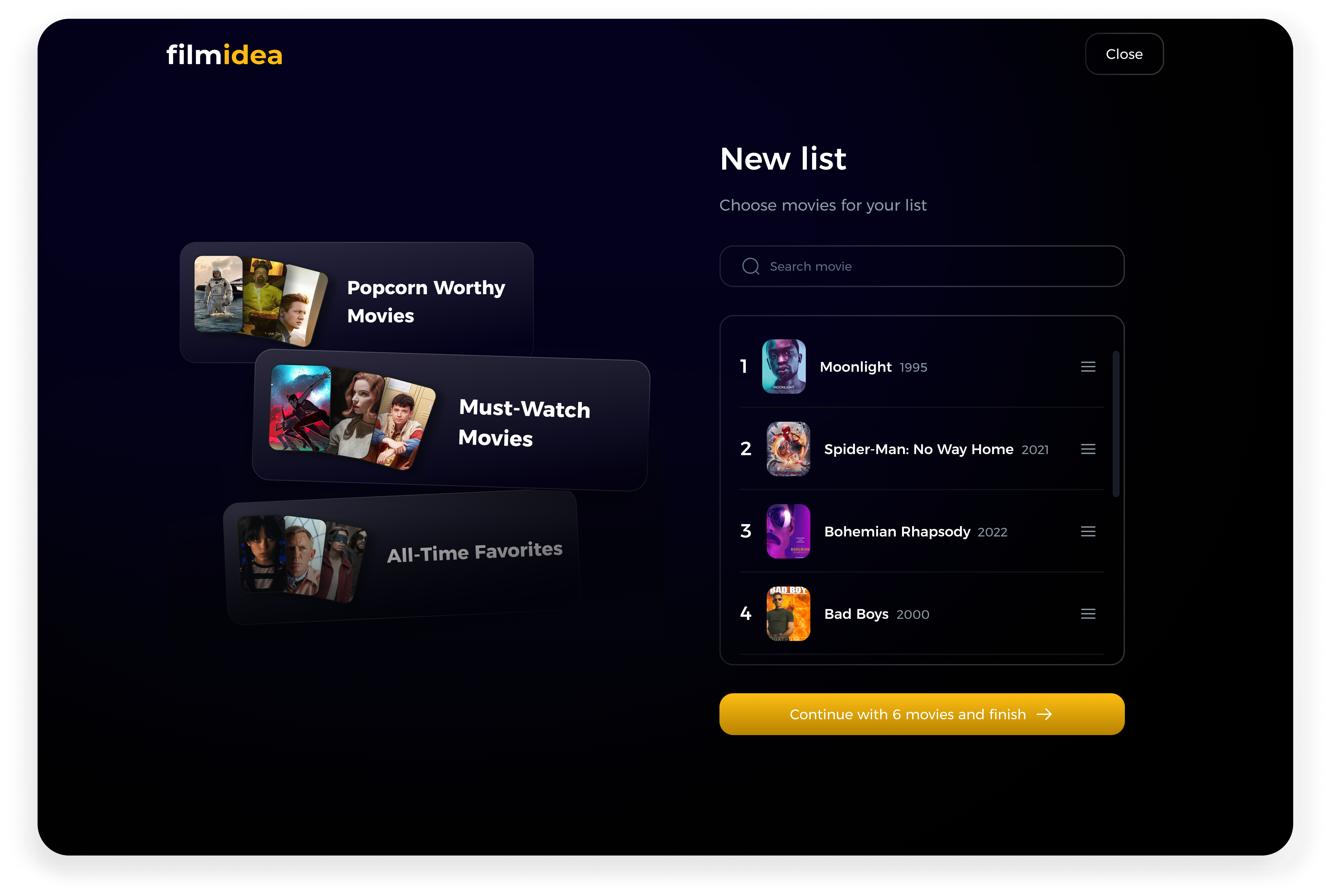
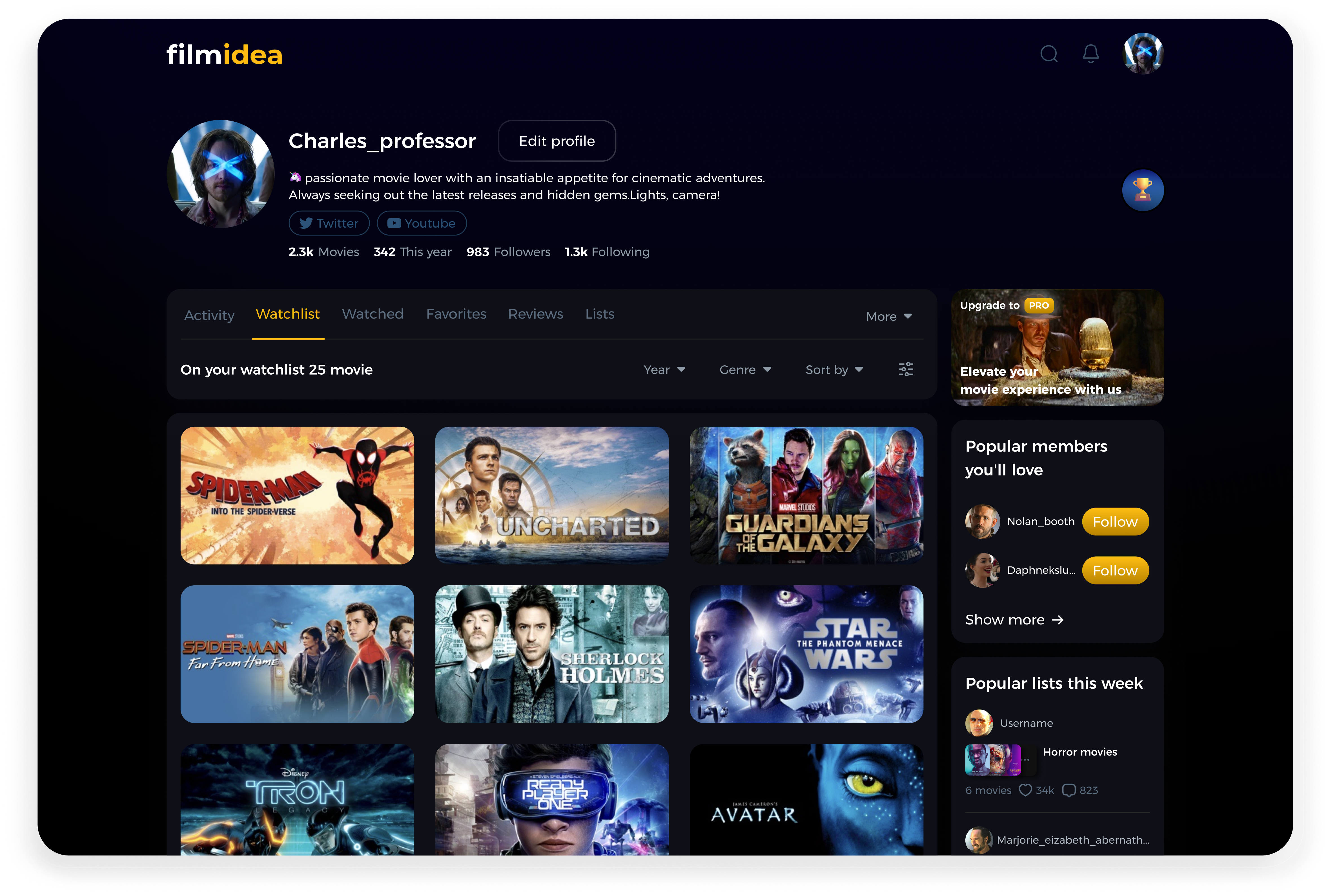
Watchlists and watched collections organize personal viewing. Shared lists, following and comments create a social layer, while recommendation preferences and visibility settings let people adjust what they receive and share.
- Save films for later and organize watched titles
- Create, share and follow movie lists; leave comments
- Update recommendation preferences and visibility settings
04 / Design system
A cinematic visual language.
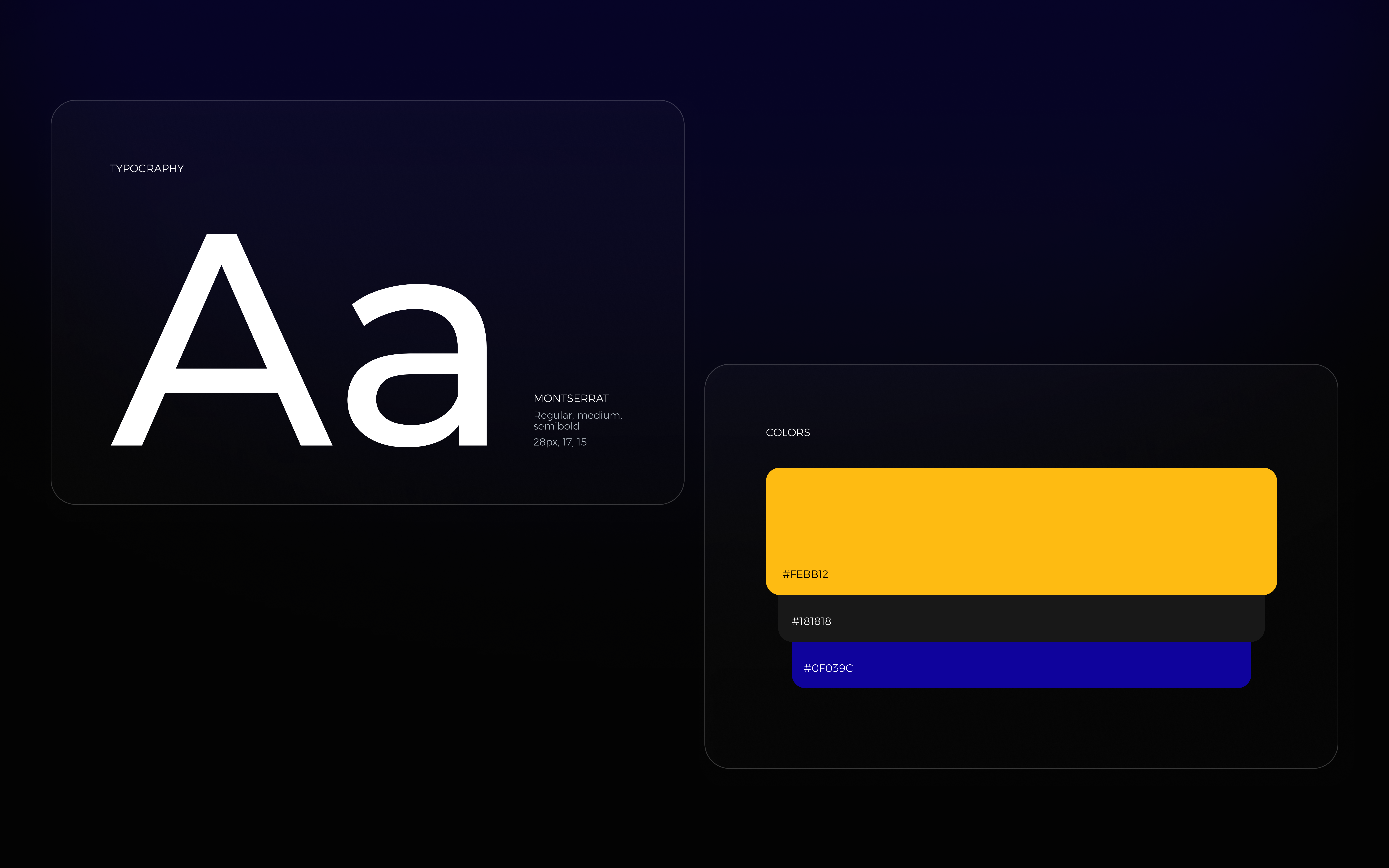
Montserrat typography, yellow accents and dark blue surfaces connect the recommendation, account and collection experiences across desktop and mobile layouts.
- Typography
Montserrat
- Palette
Yellow, dark blue & near-black
- Interface patterns
Cards, dialogs & selections
05 / Final screens
The experience, screen by screen.
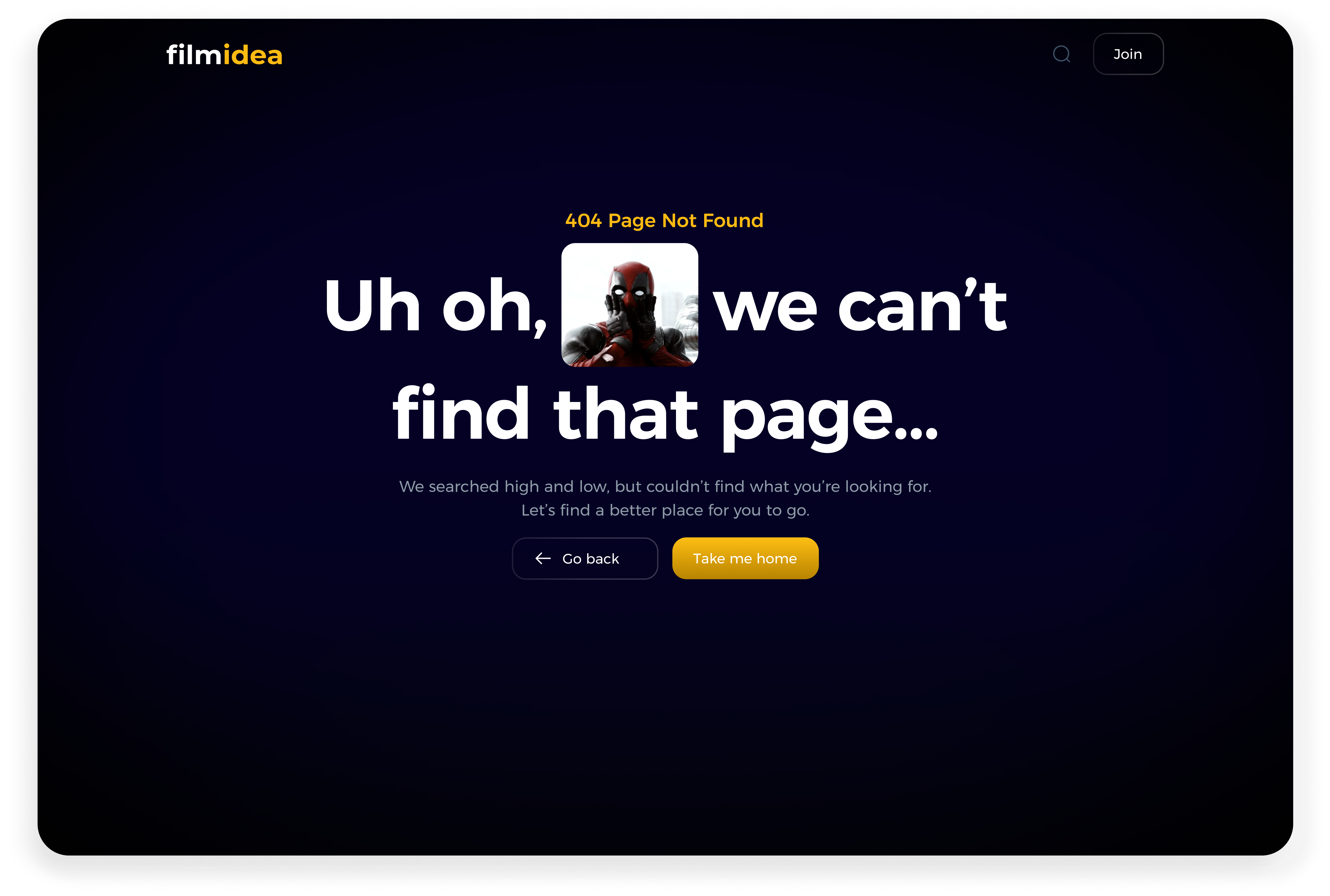
Explore the final website screens, from recommendations and movie pages to lists, sign-in, profile and the designed 404 state.
06 / Research & design highlights
A clearer path from choice to collection.
The design connects a simple starting action with progressive preference input, personal onboarding and tools for organizing films.
7
Movie enthusiasts interviewed
Qualitative interviews complemented survey research and competitive analysis.
3
Personal onboarding steps
Preferred genres, favorite films and a profile image give the account a personal starting point.
Input
Feedback shapes suggestions
Seen, liked and not-interested prompts give people ways to express their tastes.
Control
Preferences and visibility
People can manage recommendation preferences and decide what personal activity to share.
Explore Filmidea.
Visit the current website and try the movie discovery entry point.